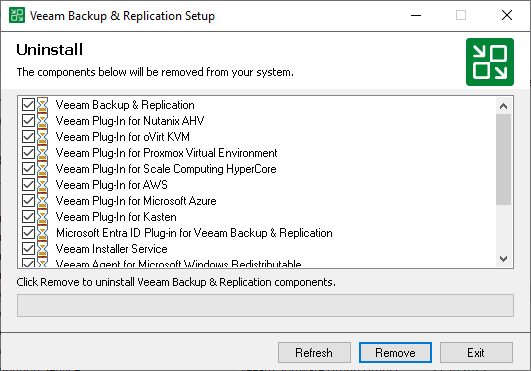
Uninstalling Veeam Backup & Replication on Microsoft Windows
To uninstall Veeam Backup & Replication:
- From the Start menu, select Control Panel > Programs > Programs and Features.
- In the programs list, right-click Veeam Backup & Replication and select Uninstall. If you have Veeam Backup Enterprise Manager installed on this machine, Veeam Backup & Replication will uninstall both components. Wait for the process to complete.
- If the program list contains additional Veeam Backup & Replication components, right-click the remaining components and select Uninstall.
The Veeam Backup & Replication configuration database is not removed during the uninstall process. All configuration data stored in the database remains as well.
Note |
The uninstall process does not remove PostgreSQL or other prerequisite components installed alongside Veeam Backup & Replication. Remove them manually from Programs and Features if you no longer need them. |
If you plan to reinstall Veeam Backup & Replication and keep your existing jobs, repositories, and settings, see Migrating VBR to Another Windows-Based Backup Server instead of uninstalling first.