Restoring RDS Databases
You can recover corrupted databases of a DB instance running the Microsoft SQL Server or PostgreSQL database engine from an image-level backup either using the backup appliance Web UI or Veeam Explorer for Microsoft SQL Server.
Restoring RDS Databases Using Web UI
To recover corrupted databases of a DB instance, do the following:
- In the Veeam Backup & Replication console, open the Home view.
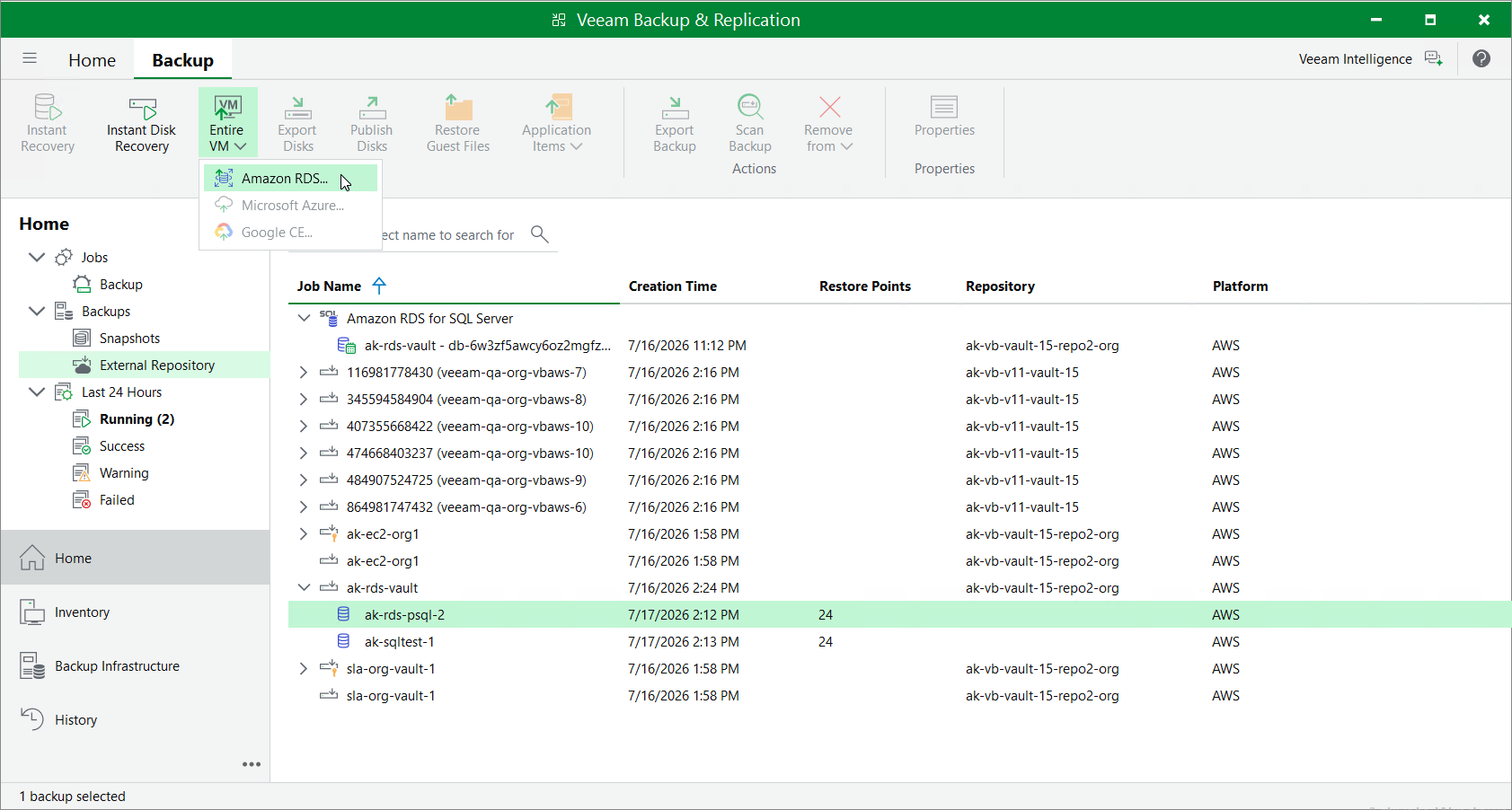
- Navigate to Backups > External Repository.
- Expand the backup policy that protects the database you want to recover, select the necessary database and click Entire VM > Amazon RDS on the ribbon.
Alternatively, you can right-click the selected database and click Entire VM > Amazon RDS.
Veeam Backup & Replication will open the RDS Database Restore wizard in a web browser. Complete the wizard as described in section Performing Database Restore.
Restoring RDS Databases Using Veeam Explorer for Microsoft SQL Server
To recover corrupted databases of a DB instance, do the following:
|
Important |
|
Database restore with Veeam Explorer for Microsoft SQL Server can be performed only using either of the following backups:
|
- In the Veeam Backup & Replication console, open the Home view.
- Navigate to Backups > External Repository.
- Expand the Amazon RDS for SQL Server node, select the necessary database and click Amazon RDS for SQL Server on the ribbon.
Alternatively, you can right-click the selected database and click Restore from an Amazon RDS for SQL Server backup.
Veeam Backup & Replication will open the Veeam Explorer for Microsoft SQL Server application. In the application, follow the instructions provided in section Restoring from RDS Backups.