Accessing Web UI from Console
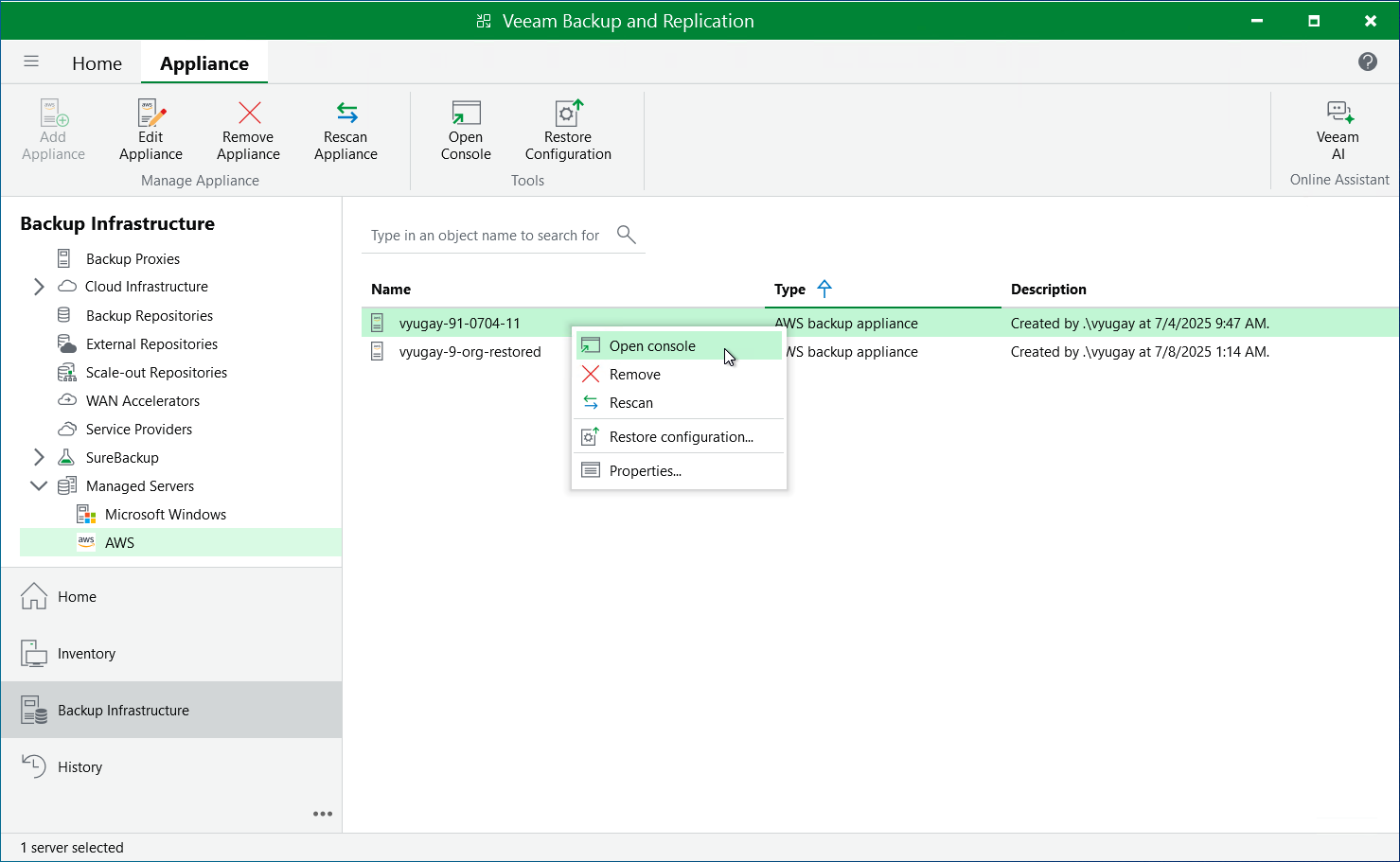
To access the backup appliance Web UI from the Veeam Backup & Replication console, do the following:
- Open the Backup Infrastructure view.
- Navigate to Managed Servers.
- Select the backup appliance whose Web UI you want to open, and click Open Console on the ribbon.
Alternatively, you can right-click the appliance and select Open console.
Veeam Backup & Replication will open the backup appliance Web UI in your default web browser.