Exporting Containers to Default Location
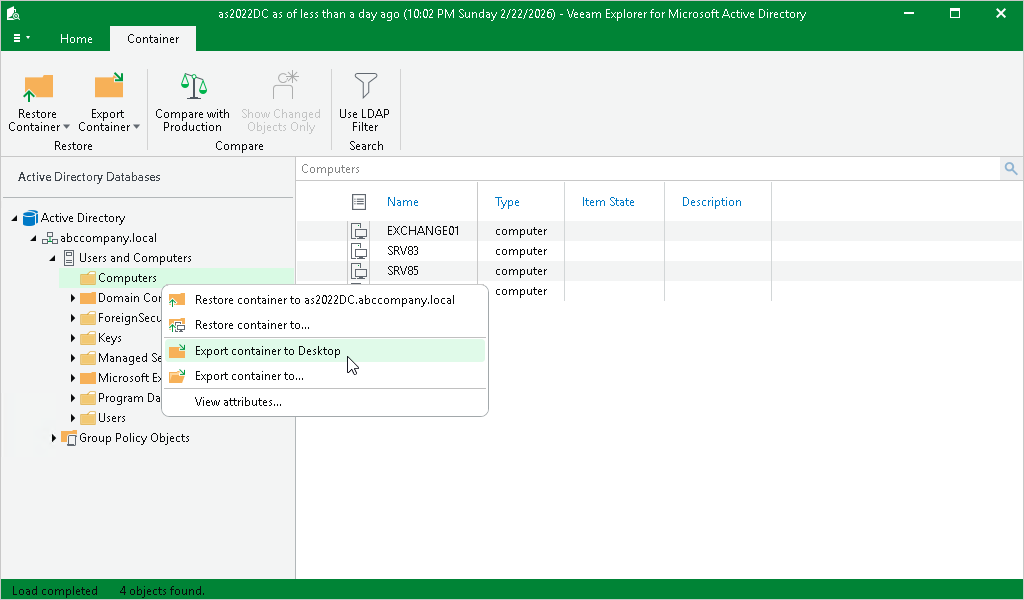
To export a container to the default location, do the following:
- Select a container.
- On the Container tab, select Export Container > Export Container to <target_folder>.
Alternatively, you can right-click a container and select Export container to <target_folder>.
|
Note |
|
The <target_folder> destination depends on the location you used during the last export operation. |