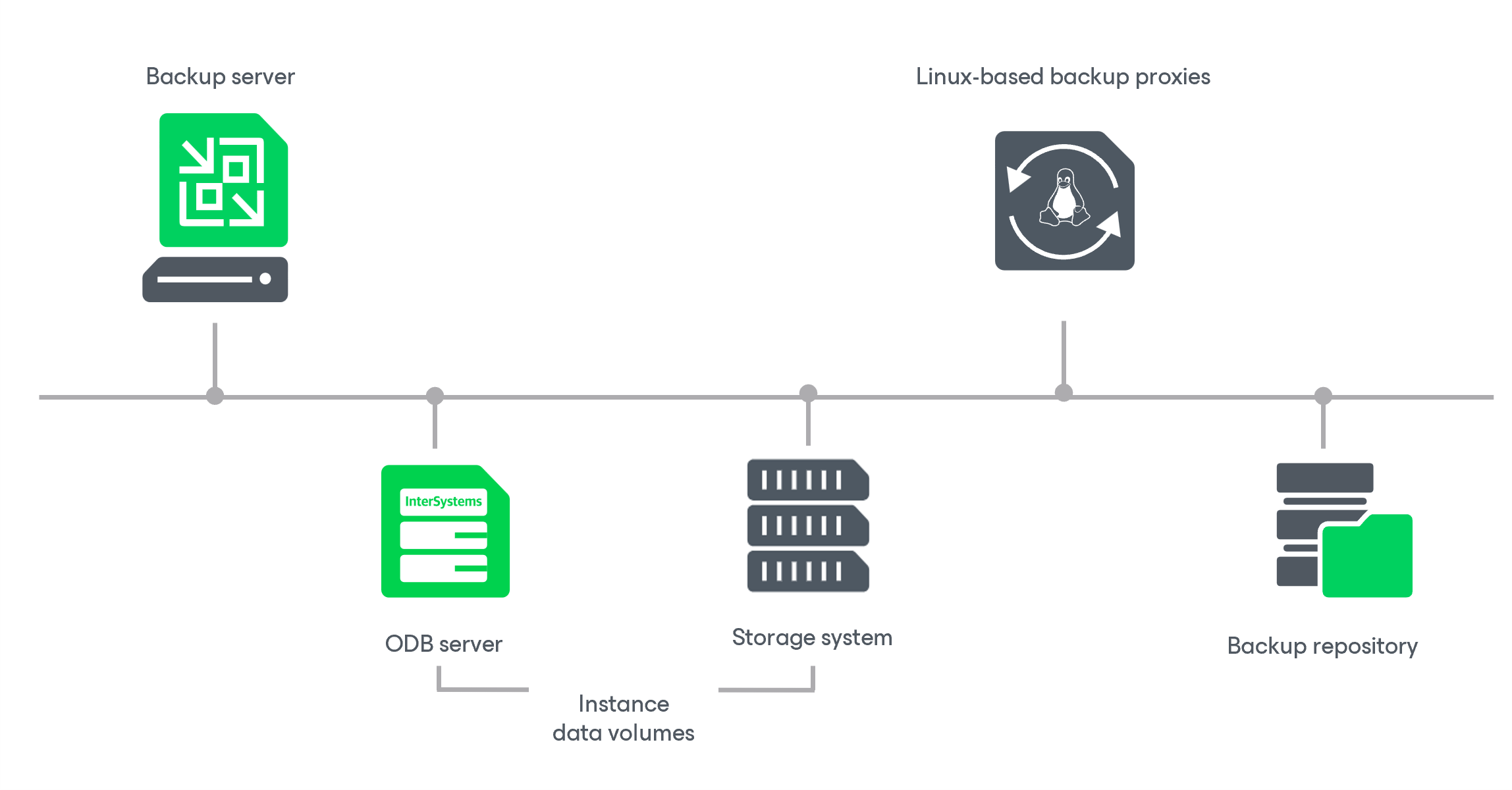
Solution Architecture
Epic EHR System Protection in Veeam Backup & Replication is a storage-integration workflow that protects InterSystems IRIS instances without going through a hypervisor.
Solution Components
Epic EHR System Protection uses the following infrastructure components:
- Veeam Backup & Replication server orchestrates the entire workflow of discovery, backup policy sessions and restore operations. It communicates with ODB servers through the Veeam Transport Service and with storage systems exclusively through the Universal Storage API.
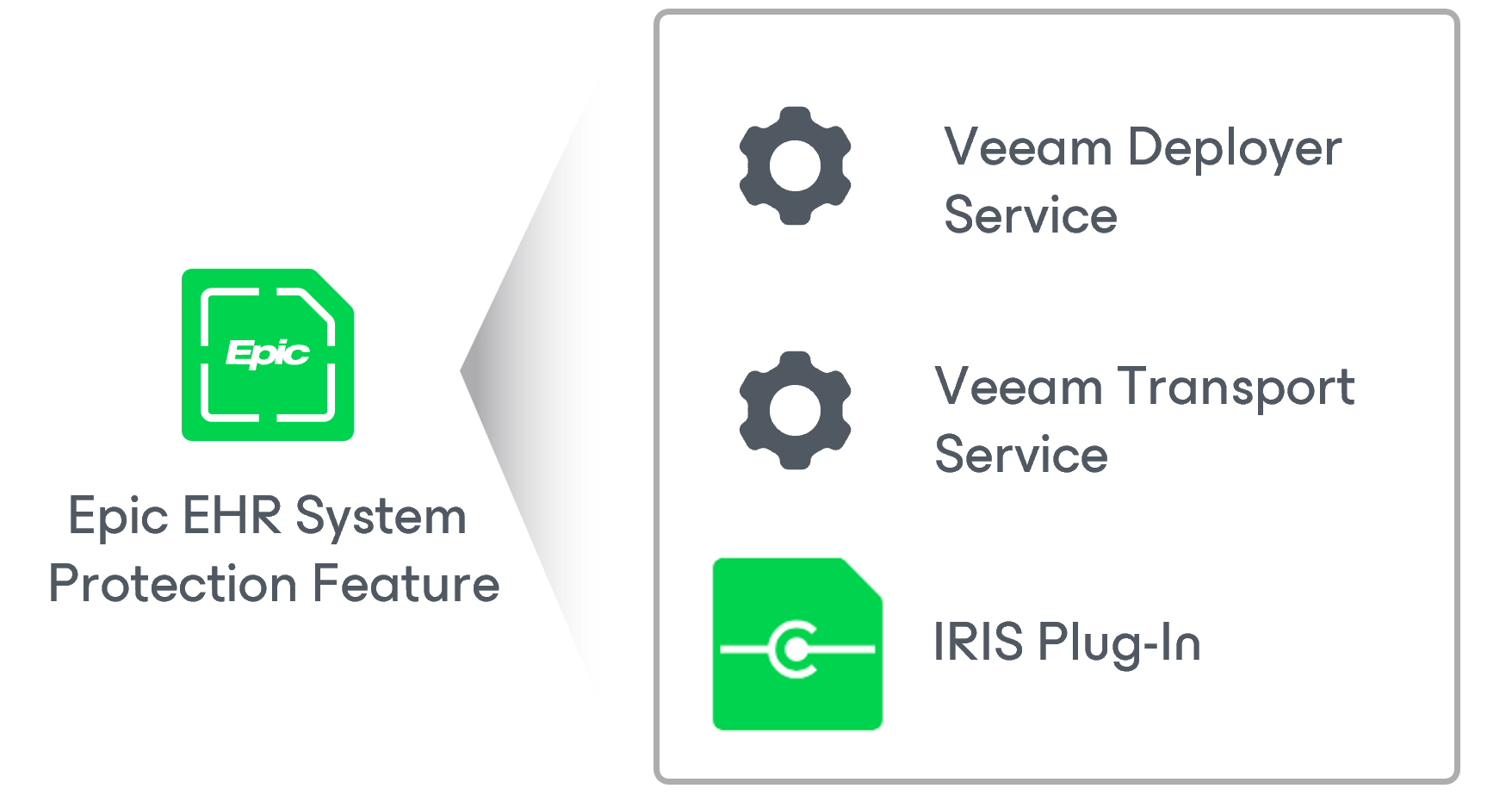
- ODB server is the source Linux server that hosts InterSystems IRIS instances and whose volumes are backed up. The following components are deployed during the first protection group rescan:
- Veeam Deployer Service enables certificate-based deployment on the ODB server. It is installed with the Veeam Deployment Kit if you do not want Veeam Backup & Replication to connect over SSH. For details, see Deploying Veeam Components for Certificate-Based Authentication.
- Veeam Transport Service manages the secure connection between the Veeam Backup & Replication server and the ODB server. It authenticates using a TLS certificate installed during deployment and is the communication channel through which all subsequent operations run.
- InterSystems IRIS Plug-In is an internal Veeam component that extends the Veeam Transport Service with InterSystems IRIS-specific capabilities that list instances and collect topology (using iris qlist and iris.cpf), resolve the block-device hierarchy of instance volumes (including LVM devices and RDM disks), and perform freeze and thaw operations on the InterSystems IRIS instance during backup.
- Storage system is a Universal Storage API-compatible storage array that presents the volumes used by InterSystems IRIS instances. Veeam Backup & Replication instructs it to create storage snapshots and thin clones through the Universal Storage API. It must be registered in Veeam Backup & Replication with the Block storage for application protection role.
-
Linux-based backup proxies receive the thin clones of storage snapshots and run the source data movers of the unstructured data backup. Each backup proxy reads data from its own mounted clone and transfers it to the backup repository. For details, see How Unstructured Data Backup Works.
A backup proxy does not require the same storage connection as the ODB server. For example, the ODB server can use Fibre Channel while the proxies read the exported clones over iSCSI.
As Veeam Backup & Replication distributes the processing of data files between the proxies, you can increase performance by adding more proxies. For more information, see How Application Backup Policy for InterSystems IRIS Instance Works.
- Backup repository stores the backup files produced by the target data mover. All primary backup repositories available in Veeam Backup & Replication are supported. In snapshot-only mode, no backup repository is required; storage snapshots are retained on the storage system instead.