Managing Backup Access
You can grant or revoke a protected computer's access to specific backups. This allows the computer to restore data from a backup that was originally created for another computer. To learn more about restore operations, see Restoring Data from Veeam Agent Backups.
NOTE |
|
Consider the following limitations:
|
You can manage backup access in the following ways:
Managing Backup Access Using Veeam Backup & Replication Console
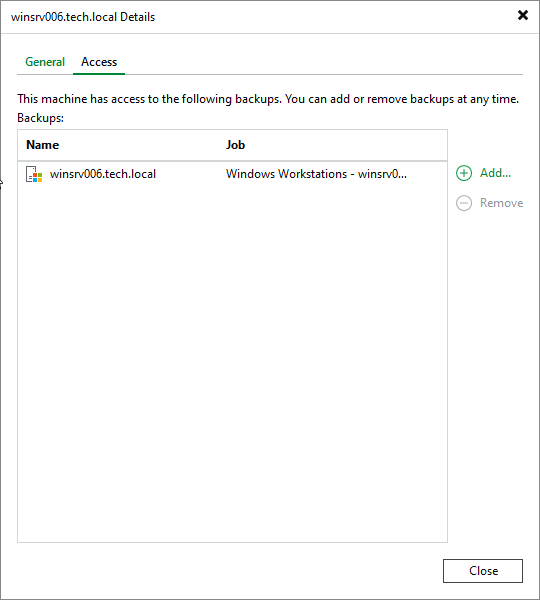
To manage backup access for a protected computer in the Veeam Backup & Replication console:
- Open the Inventory view.
- In the inventory pane, expand the Physical and Cloud Infrastructure node.
- In the working area, select the computer and click Access and host details on the ribbon, or right-click the computer and select Access and host details.
- In the window that opens, click the Access tab.
- Do one of the following:
- To grant the computer access to a backup, click Add and select the backup.
- To revoke access to a backup, select it in the list and click Remove.
Managing Backup Access Using Veeam Backup & Replication Web UI
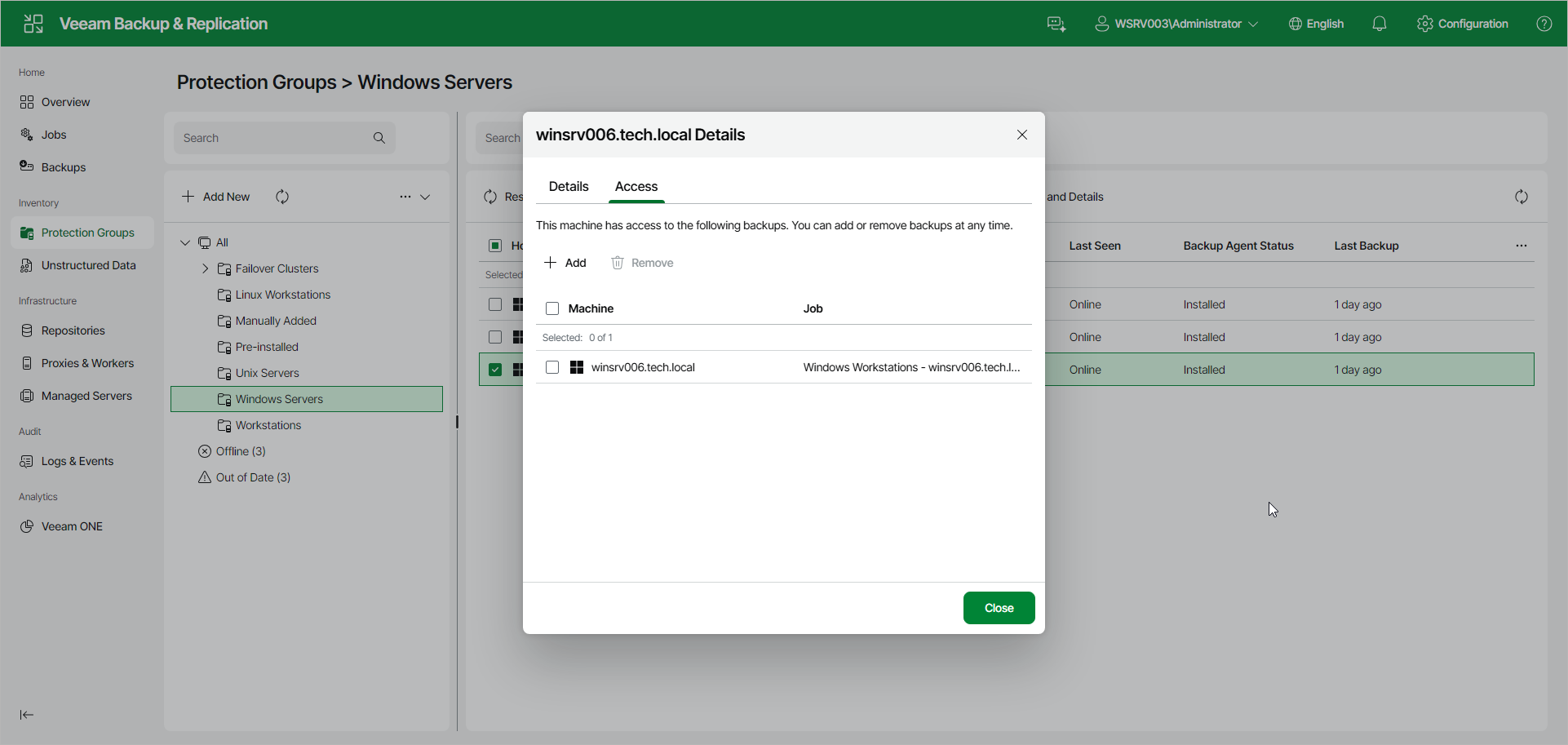
To manage backup access for a protected computer in the Veeam Backup & Replication web UI:
- In the management pane, click Protection Groups.
- Select the protection group that contains the necessary computer.
- In the working area, select the check box next to the computer and click Permissions and details on the toolbar. Alternatively, right-click the computer and select Permissions and details.
- In the window that opens, click the Access tab.
- Do one of the following:
- To grant the computer access to a backup, click Add and select the backup.
- To revoke access to a backup, select it in the list and click Remove.