Editing Backup Policy Settings
You can edit settings of a Veeam Agent backup policy at any time. For example, you may want to change the backup scope, target location or scheduling settings for Veeam Agent backup jobs running on protected computers. After you change settings of the backup policy, Veeam Backup & Replication applies the specified settings to Veeam Agent backup jobs configured on protected computers added to the policy.
|
NOTE |
|
Consider the following:
|
You can edit a backup policy in one of the following ways:
Editing Backup Policy Settings Using Veeam Backup & Replication Console
To edit backup policy settings:
- Open the Home view.
- In the inventory pane, select Jobs.
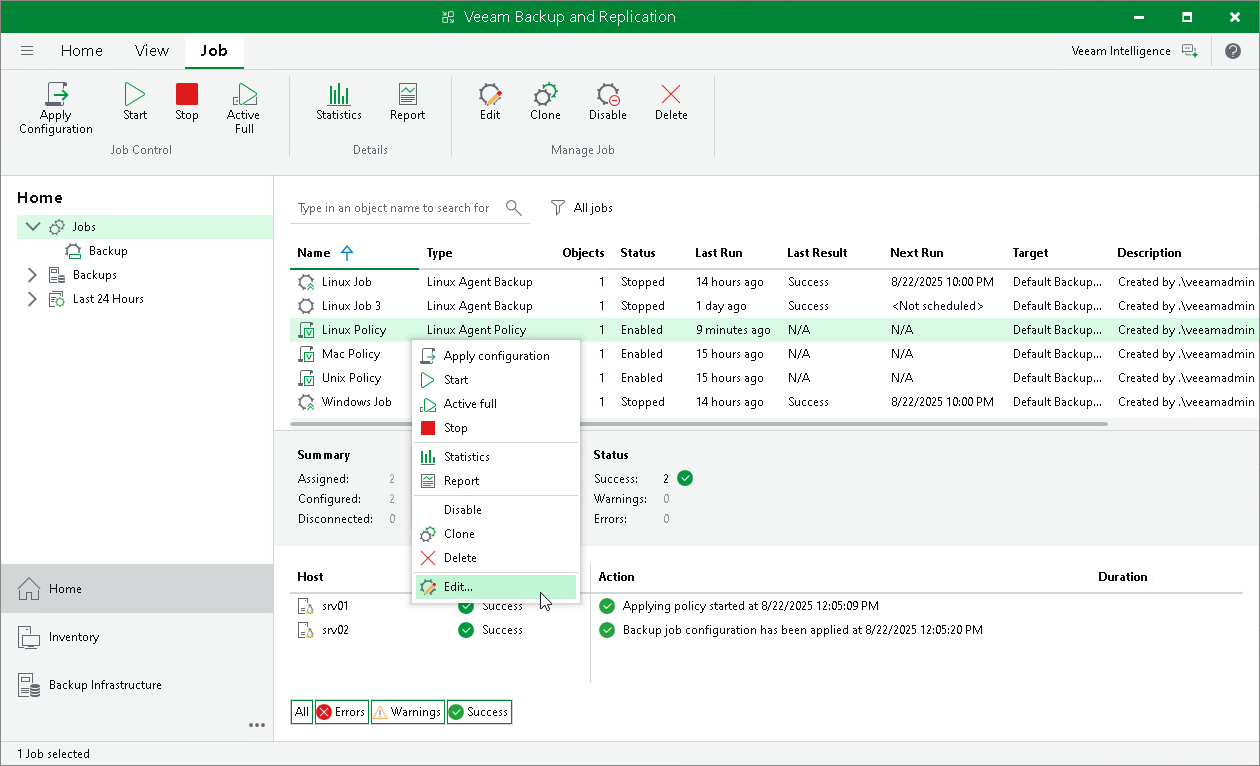
- In the working area, select the backup policy and click Edit on the ribbon or right-click the policy and select Edit.
- Complete the steps of the Edit Agent Backup Job wizard to change the policy settings as required.
Editing Backup Policy Settings Using Veeam Backup & Replication Web UI
To edit backup policy settings:
- In the management pane, click Jobs.
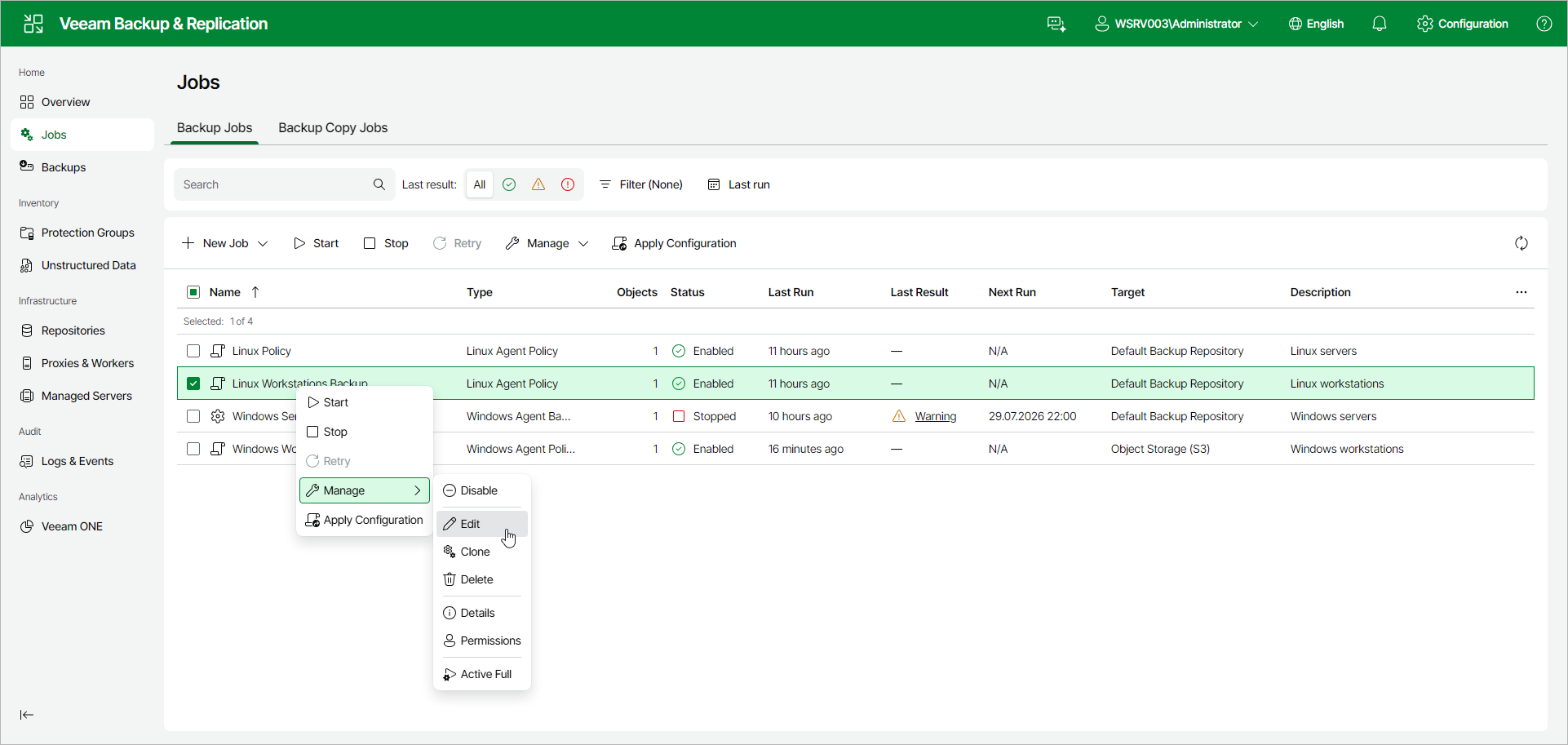
- Select the check box next to the necessary backup policy, and from the Manage drop-down list, select Edit. Alternatively, right-click the policy and click Manage > Edit.
- Complete the steps of the Edit Agent Backup Job wizard to change the policy settings as required.