Getting Technical Support
If you have any questions or issues with Veeam Plug-in for KubeVirt, you can search for a resolution on Veeam R&D Forums or submit a support case in the Veeam Customer Support Portal.
When you submit a support case, it is recommended that you provide the Veeam Customer Support Team with the following information:
- Version information for the product and its infrastructure components
- The error message or an accurate description of the problem you are facing
- Log files of the Veeam Plug-in for KubeVirt
- Log files of the Veeam KubeVirt Proxy
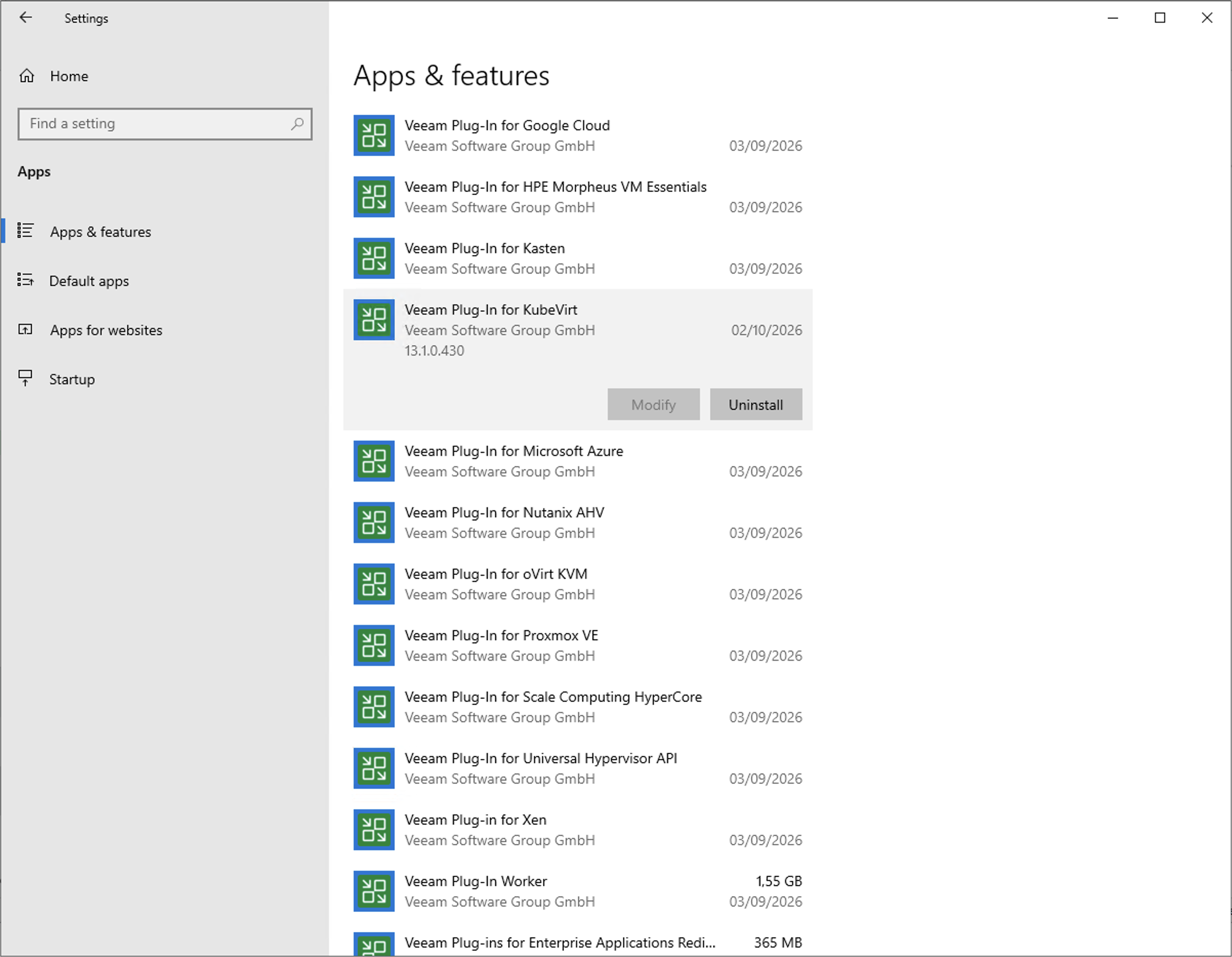
To view the product details, do the following:
- On the server running the Veeam Backup & Replication console, navigate to Settings > Apps & features.
Alternatively, open the Control Panel window and navigate to Programs > Programs and Features.
- In the program list, check the version of Veeam Plug-in for KubeVirt.
Downloading Veeam Plug-in for KubeVirt Logs
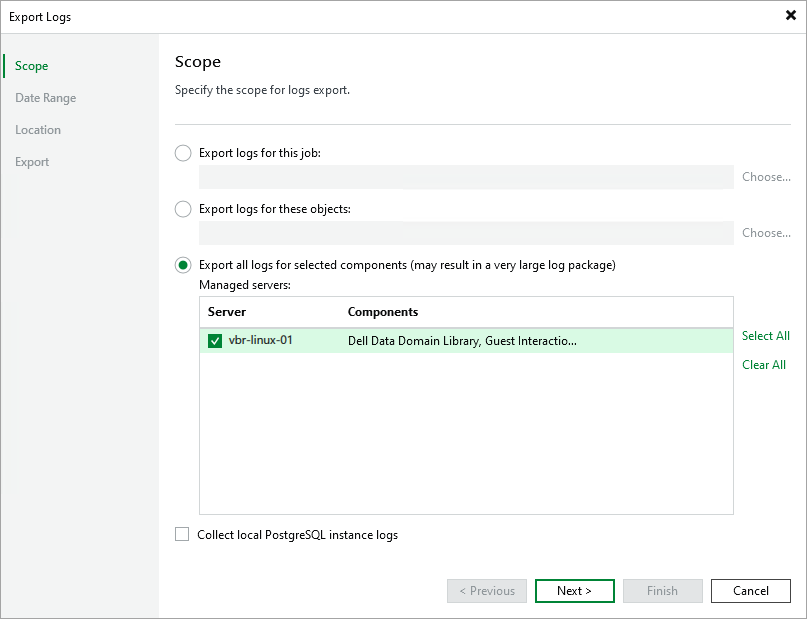
To export the Veeam Plug-in for KubeVirt logs, do the following:
- From the main menu of the Veeam Backup & Replication, select Help > Support Information.
- At the Scope step of the Export Logs wizard, select the Export all logs for selected components option. Then, in the Managed servers list, select the backup server.
- Complete the wizard as described in section Exporting Logs.
Downloading Veeam KubeVirt Proxy Logs
When you install the Veeam KubeVirt Proxy, it deploys a dedicated persistent volume claim (PVC) where log files will be stored. These logs can be especially useful if the Pod with the Veeam KubeVirt Proxy crashes or acquires the Evicted status, or if the node where this Pod runs is not responding.
To export the Veeam KubeVirt Proxy logs, do the following:
- Log in to a local machine that has access to the Red Hat OpenShift Virtualization cluster where the Veeam KubeVirt Proxy is installed.
- Open the command line interface and run the following command to introduce a variable that will define the name of the namespace where the Veeam KubeVirt Proxy is installed:
|
NS=<vkp_namespace> |
- Run the following commands to introduce variables that will define the names of the Pod and the node where the Veeam KubeVirt Proxy resides:
|
POD=$(oc -n $NS get pod -l app=vkp -o jsonpath='{.items[0].metadata.name}' 2>/dev/null) NODE=$(oc get pod $POD -n $NS -o jsonpath='{.spec.nodeName}' 2>/dev/null) |
- Deploy a Helper Pod that Red Hat OpenShift Virtualization will use to temporarily attach the PVC with log files and to access these files. You can either deploy the Helper Pod on the same node where the Veeam KubeVirt Proxy is installed, or instruct Red Hat OpenShift Virtualization to use any compatible node.
|
Important |
|
The PVC with log files is created with the ReadWriteOnce access mode, which means that it can only be attached to one node at a time. If you choose to deploy the Helper Pod on any available node, you must terminate the Pod with the Veeam KubeVirt Proxy so that it can be attached to the Helper Pod. |
- If you want to deploy the Helper Pod on the same node where the Veeam KubeVirt Proxy is installed, run the following command:
|
oc -n "$NS" apply -f - <<EOF apiVersion: v1 kind: Pod metadata: name: vkp-log-recover spec: nodeName: ${NODE} restartPolicy: Never containers: - name: shell image: busybox command: ["sleep", "3600"] volumeMounts: - name: daemon-log mountPath: /var/log/vkp volumes: - name: daemon-log persistentVolumeClaim: claimName: vkp-daemon-log EOF |
- If you want to deploy the Helper Pod on any compatible node, run the following commands:
- To terminate the Pod with the Veeam KubeVirt Proxy:
|
oc -n "$NS" scale deploy/vkp --replicas=0 |
- To deploy the Helper Pod:
|
oc -n "$NS" apply -f - <<EOF apiVersion: v1 kind: Pod metadata: name: vkp-log-recover spec: restartPolicy: Never containers: - name: shell image: busybox command: ["sleep", "3600"] volumeMounts: - name: daemon-log mountPath: /var/log/vkp volumes: - name: daemon-log persistentVolumeClaim: claimName: vkp-daemon-log EOF |
- Run the following command to copy log files from the Helper Pod to your local machine:
|
oc -n "$NS" cp vkp-log-recover:/var/log/vkp ./vkp-logs |
- Run the following command to delete the Helper Pod:
|
oc -n "$NS" delete pod vkp-log-recover |
- [Applies only if you have terminated the Pod with the Veeam KubeVirt Proxy at step 4] Run the following command to start the Pod with the Veeam KubeVirt Proxy:
|
oc -n "$NS" scale deploy/vkp --replicas=1 |