Removing Backup Policy
You can permanently remove a Veeam Agent backup policy from Veeam Backup & Replication. When you remove a backup policy, Veeam Backup & Replication also removes child backup jobs configured on Veeam Agent computers. Backups created by these jobs remain on the target location.
|
NOTE |
|
[For computers with pre-installed Veeam Agents] The child jobs will continue running till the next synchronization with Veeam Backup & Replication. |
You can remove a backup policy in one of the following ways:
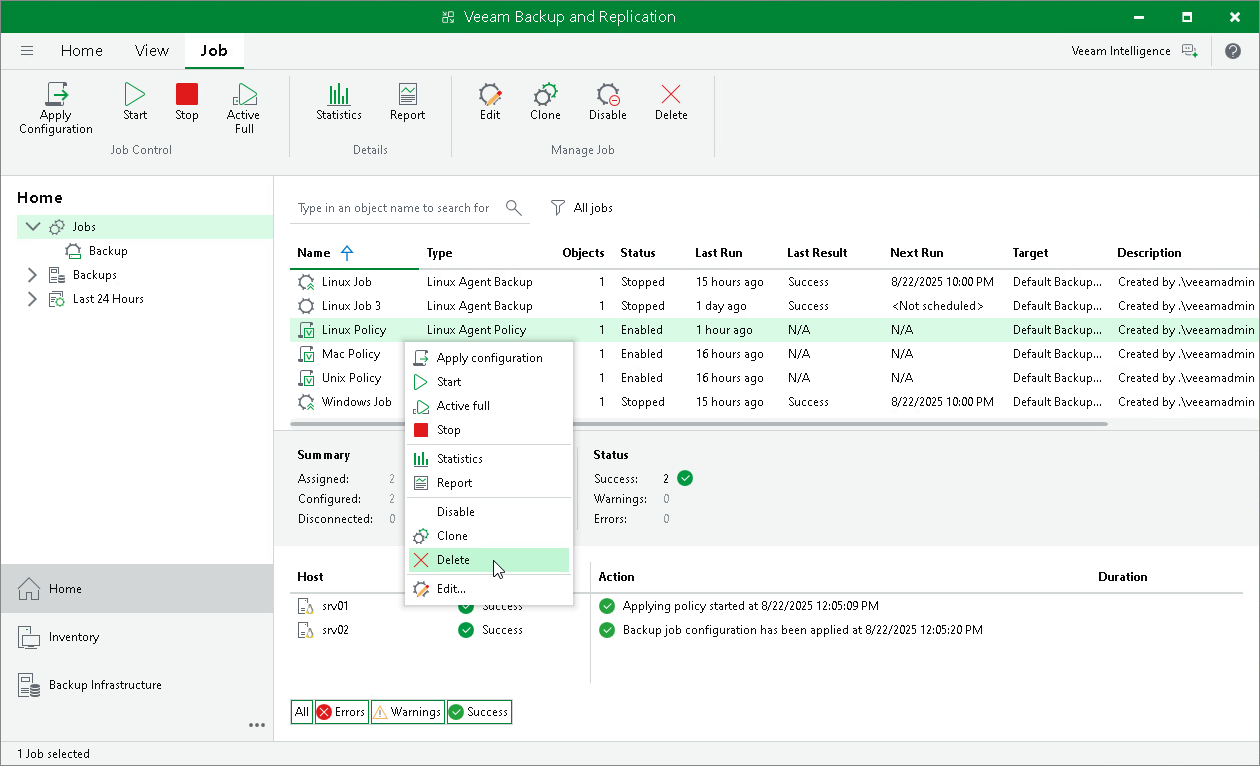
Removing Backup Policy Using Veeam Backup & Replication Console
To remove a Veeam Agent backup policy:
- Open the Home view.
- In the inventory pane, select Jobs.
- In the working area, select the Veeam Agent backup policy and click Delete on the ribbon or right-click the policy and select Delete.
Removing Backup Policy Using Veeam Backup & Replication Web UI
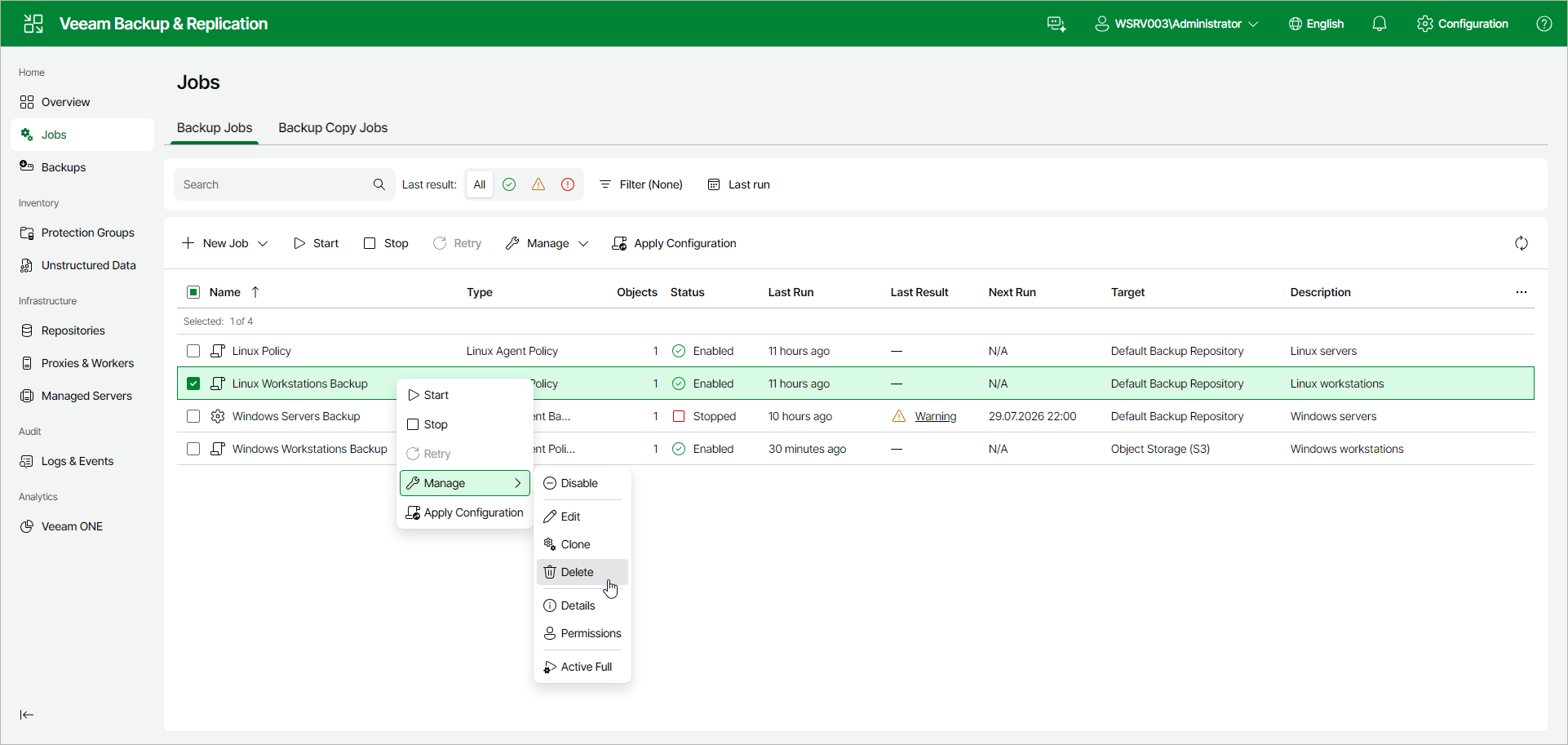
To remove a Veeam Agent backup policy:
- In the management pane, click Jobs.
- Select the check box next to the necessary backup policy, and from the Manage drop-down list, select Delete. Alternatively, right-click the policy and click Manage > Delete.