Step 2. Specify Server Domain Name or IP Address
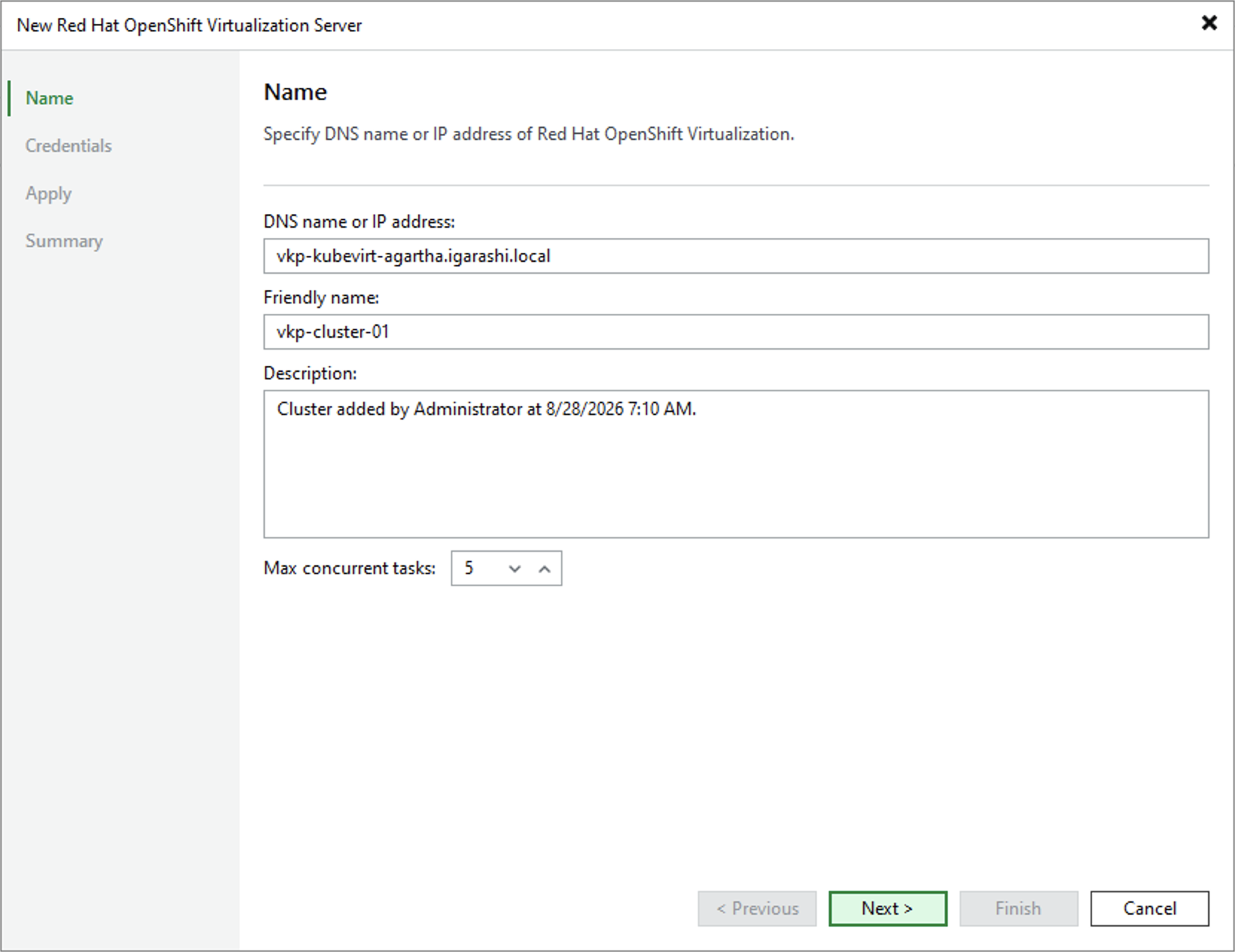
At the Name step of the wizard, do the following:
- In the DNS name or IP address field, enter the cluster FQDN that you obtained as described in section Installing the Veeam KubeVirt Proxy. Consider that Veeam Plug-in for KubeVirt does not support connecting clusters using OpenShift Console DNS names or IP addresses.
- In the Friendly name field, specify a name you want to assign to the cluster in the backup infrastructure. This name will be displayed in the list of your managed servers. Consider that such a name cannot contain spaces.
- In the Description field, provide a description for future reference. The field already contains a default description with information about the user who added the manager, date and time when the manager was added.
- Next to the Max concurrent tasks field, specify the maximum number of tasks that can be simultaneously processed when performing backup and restore.
|
Important |
|
If you want to specify the maximum number of volumes simultaneously processed within a single task, open a support case. |