Step 3. Enable Additional Backup Copy
By default, the backup appliance stores virtual network configuration backups in the local database. You can instruct the backup appliance to save additional backup copies to a repository. To do that:
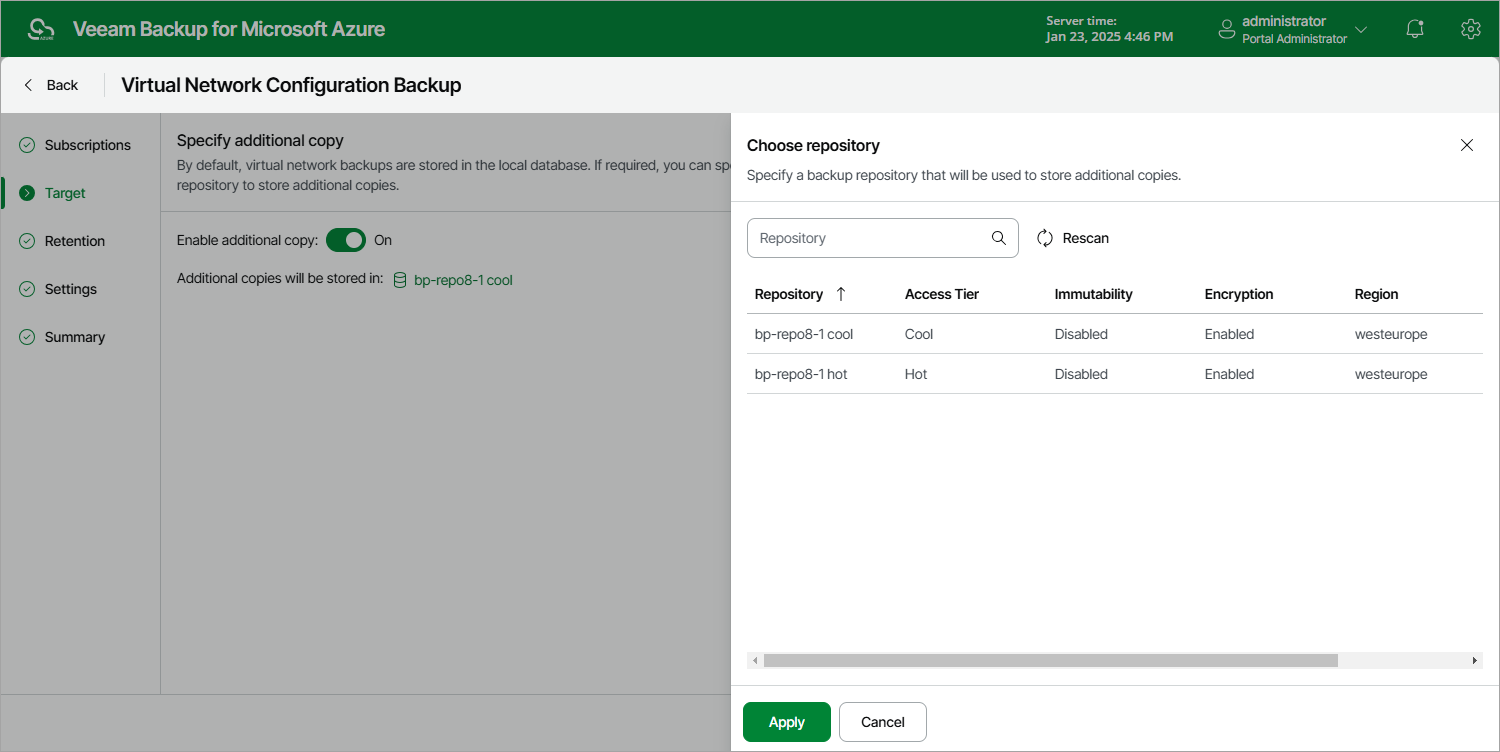
- At the Target step of the wizard, set the Enable additional copy toggle to On.
- In the Choose repository window, select a repository that will be used to store the additional virtual network configuration backup copies.
For a backup repository to be displayed in the list of available repositories, it must be added to the backup appliance as described in section Adding Backup Repositories or Adding Storage Vaults. The list shows only backup repositories of the Hot and Cool access tiers.
- To save changes made to the backup policy settings, click Apply.
|
Note |
|
When choosing a backup repository, consider the following:
For more information on encryption and immutability, see Managing Repositories. |