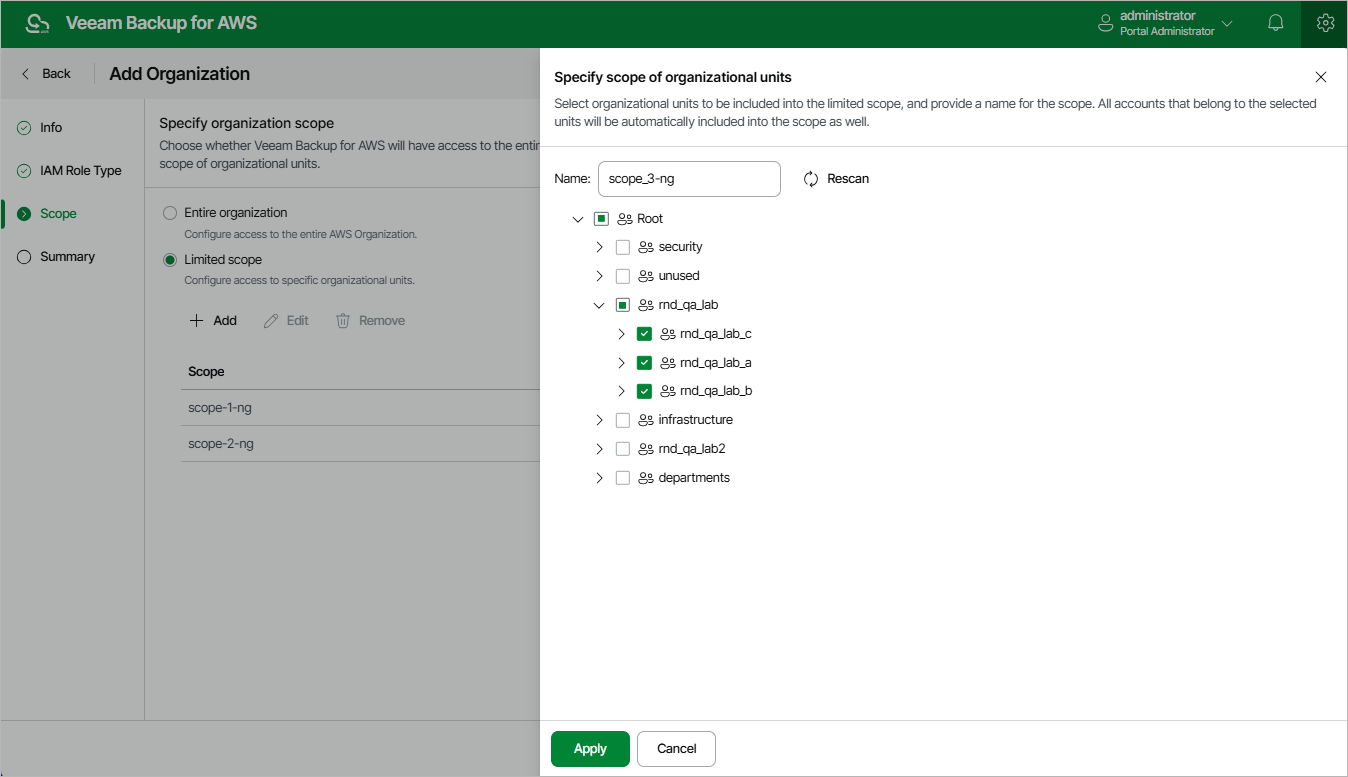
Step 4. Specify Organization Scope
At the Scope step of the wizard, choose whether you want the backup appliance to have full or limited access to resources within the AWS Organization.
If you select the Limited scope option, you must also specify the scope explicitly — select organizational units containing resources that you plan to protect. To do that, click Add; then, select the necessary units to include in the scope and provide a unique name for it in the Specify scope of organizational units window.
|
Tips |
|
After you define the organization scope (either an entire AWS Organization or a limited scope of organizational units), you will be able to specify this scope while creating backup policies and completing restore wizards to allow the backup appliance to perform data protection and disaster recovery operations. For more information, see sections Performing Backup and Performing Restore.