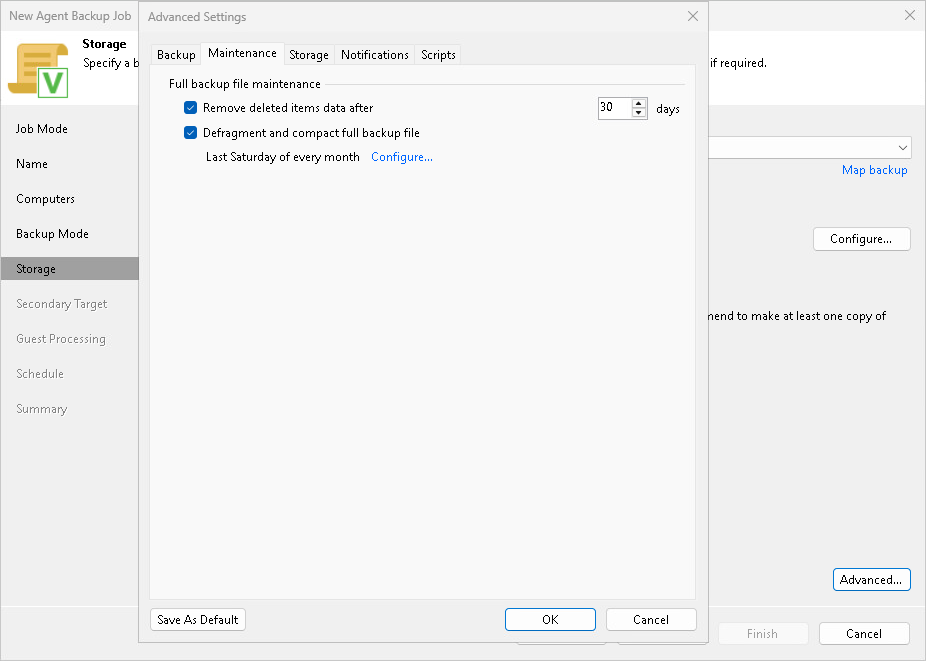
Maintenance Settings
You can specify maintenance settings for a backup chain created with the Veeam Agent backup job managed by the backup server. Maintenance operations help make sure that the backup chain remains valid and consistent.
To specify maintenance settings for the backup job:
- In the Advanced Settings window, select the Maintenance tab.
- Select the Remove deleted items data after check box and specify the number of days for which you want to keep the backup created with the backup job in the target location.
For Veeam Agent backup jobs managed by the backup server, deleted items retention policy is similar to retention policy for deleted VMs. After you remove a protection group or individual computer from a Veeam Agent backup job, Veeam Backup & Replication will keep its data on the backup repository for the period that you have specified. When this period is over, backup data of this computer will be removed from the backup repository. For more information, see Retention Policy for Deleted Items.
By default, the deleted items data retention period is 30 days. Do not set the deleted items retention period to 1 day or a similar short interval. In the opposite case, the backup job may work not as expected and remove data that you still require.
- To periodically compact a full backup, select the Defragment and compact full backup file check box and click Configure to specify the schedule for the compact operation.
During the compact operation, Veeam Backup & Replication creates a new empty file and copies to it data blocks from the full backup file. As a result, the full backup file gets defragmented and the speed of reading and writing from/to the backup file increases.
If the full backup file contains data blocks for deleted items (protection groups or individual computers), Veeam Backup & Replication removes these data blocks. For more information, see Compact of Full Backup File.
|
NOTE |
|
Consider the following:
|