Uninstalling Plug-In
Before you uninstall Veeam Plug-in for Microsoft Azure, it is recommended that you remove all connected backup appliances from the backup infrastructure. If you keep the appliances in the backup infrastructure, the following will happen:
- You will be able to see information on snapshots of Azure VMs and file shares in the Veeam Backup & Replication console. However, you will not be able to perform any operations with these snapshots.
- You will be able to see information on backups of Azure SQL databases. However, you will not be able to perform any operations with these backups.
- You will be able to see information on image-level backups of Azure VMs and perform data recovery operations using these backups. However, restore of entire VMs to Microsoft Azure will start working as described in How Restore to Microsoft Azure Works.
- You will be able to see information on backup policies. However, you will only be able to remove these policies from the Veeam Backup & Replication console.
To uninstall Veeam Plug-in for Microsoft Azure, do the following:
- Log in to the backup server using an account with the local Administrator permissions.
- Open the Start menu, navigate to Control Panel > Programs > Programs and Features.
- In the program list, click Veeam Plug-in for Microsoft Azure and click Uninstall.
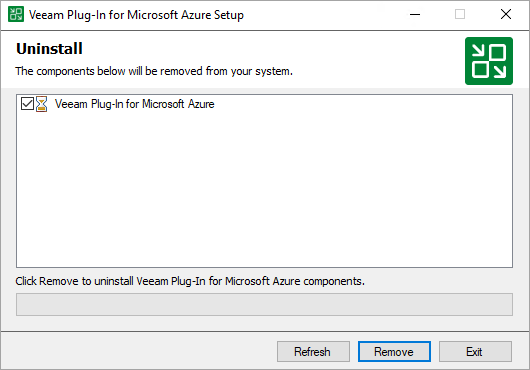
- In the opened window, click Remove.
|
Note |
|
After you uninstall Veeam Plug-in for Microsoft Azure, you will be no longer able to add backup appliances and new external repositories to the backup infrastructure. |