Assigning Location to Protection Group
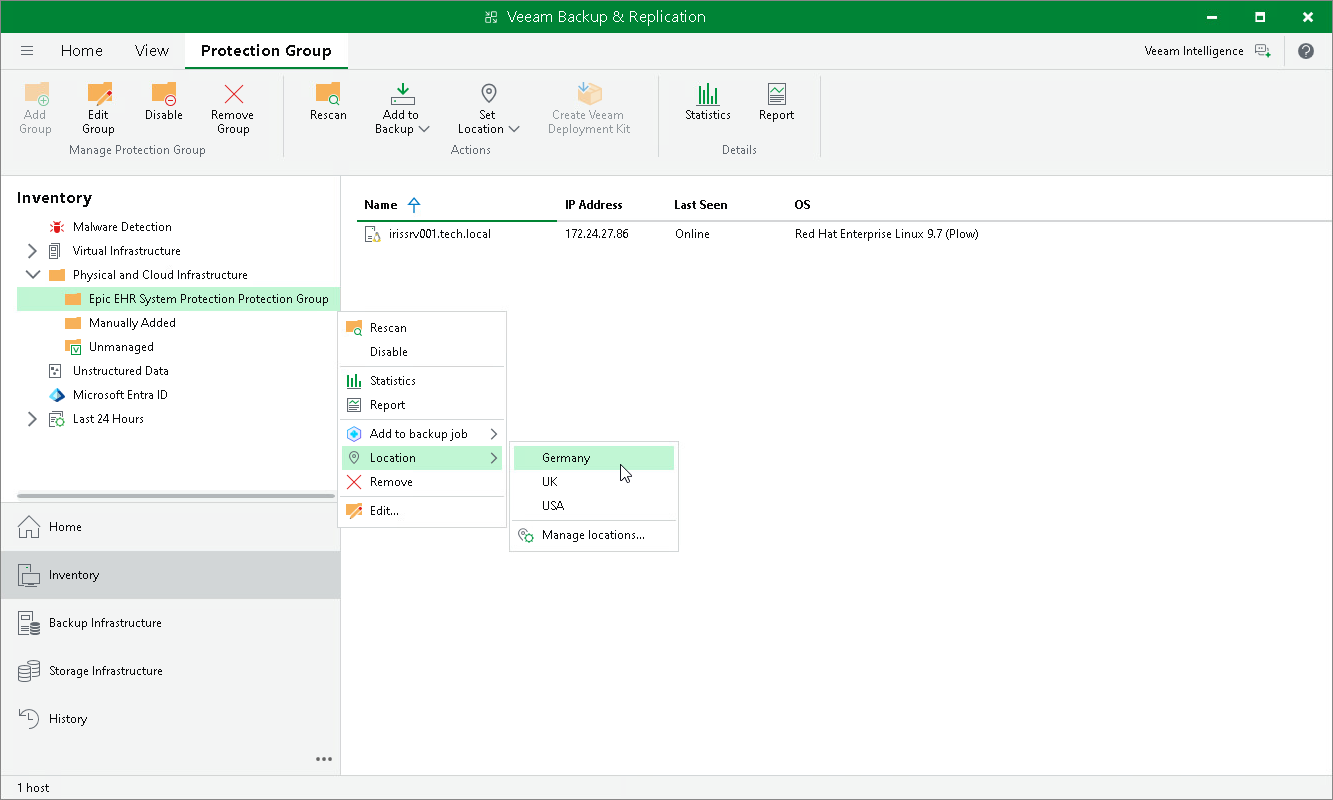
You can assign a location to a protection group configured in Veeam Backup & Replication. To assign a location:
- Open the Inventory view.
- In the inventory pane, expand the Physical and Cloud Infrastructure node.
- In the inventory pane, select the necessary protection group and click Set Location on the ribbon or right-click the necessary protection group, select Location and Manage locations.
- In the Manage Locations window, select the necessary location or click Add to add a location.
For details on data migration in a virtual infrastructure, see Locations.