Performing Failback
To fail back from a VM replica to the original VM, do the following:
- In the Veeam Backup & Replication console, open the Home view.
- In the inventory pane, select Replicas > Active.
- In the working area, right-click the necessary VM replica and select Failback to production.
Alternatively, select the necessary VM replica and click Failback to Production on the ribbon.
- Complete the Enter value Replica Failback wizard:
- At the Destination step of the wizard, choose whether you want to fail back the selected replica to the original VM that resides on the source host, or switch to the original VM that has been restored to a custom location. For more information on how Veeam Backup & Replication performs failback, see Failback.
If you select the Failback to the original VM restored in a different location option, you will also have to specify the VM to switch to at the Target VM step of the wizard.
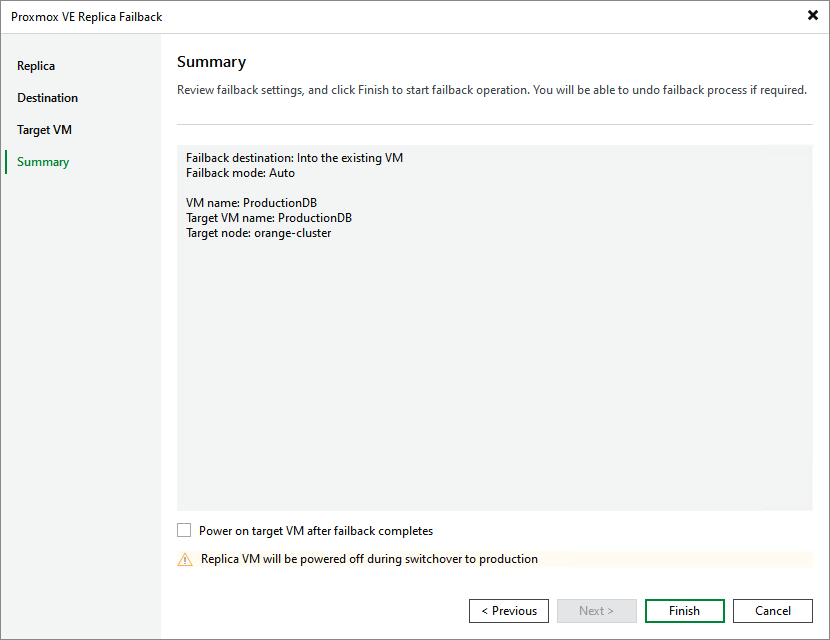
- At the Summary step of the wizard, review summary information and click Finish.
|
Tip |
|
If you want to start the target VM as soon as the failback process completes, select the Power on target VM after failback completes check box. |
Failback is a temporary stage that you will have to finalize — by either committing the operation or undoing failback. For more information, see Finalizing Failback.