Long-Term Retention (GFS) for Unstructured Data Backups
The long-term or Grandfather-Father-Son (GFS) retention policy allows you to store unstructured data backups for long periods of time — for weeks, months and years. For this purpose, Veeam Backup & Replication marks restore points with GFS flags. These GFS flags can be of three types: weekly, monthly or yearly. Depending on which flag is assigned to the restore point, it will be stored for specified number of weeks, months or years.
Unlike GFS restore points for machine backups, a GFS restore point for unstructured data is not a full backup. It is an aggregation of data across multiple restore points of the existing forever-forward-incremental chain. When you configure the GFS retention, on a regular incremental job run Veeam Backup & Replication marks the folders and data blobs with GFS flags. The marked aggregation of data blobs becomes the GFS restore point and is kept for a longer period, without creating an additional full backup. This makes long-term retention suitable for the large data sets typical of unstructured data workloads.
Note |
|
Consider the following:
|
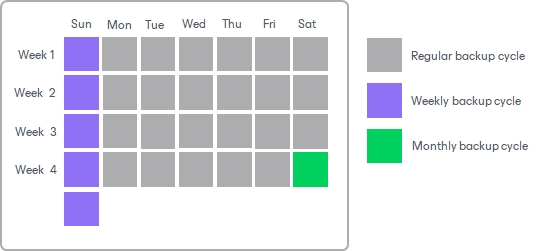
GFS is a tiered retention policy and it uses a number of cycles to retain backups for different periods of time:
- Weekly backup cycle
- Monthly backup cycle
- Yearly backup cycle
In the GFS retention policy, weekly backups are known as ‘sons’, monthly backups are known as ‘fathers’ and yearly backups are known as ‘grandfathers’. Weekly, monthly and yearly backups are also called archive backups.
If you store unstructured data backups in an immutable backup repository, the immutability period of a GFS restore point depends on the repository type and settings:
-
In hardened repositories, the GFS restore point remains immutable until the end of the longest applicable GFS retention period.
- In object storage repositories, the immutability period depends on the option selected in the repository immutability settings:
-
For the entire duration of their retention policy: the GFS restore point remains immutable until the end of the longest applicable GFS retention period, extended by the Block Generation period.
- For the minimum immutability period only: the GFS restore point remains immutable for the immutability period specified in the object storage repository settings, extended by the Block Generation period.
For example, if you assign a yearly GFS flag with a 2-year retention period to a restore point, the restore point stays immutable for the following period:
- Hardened repository: 2 years.
- Object storage repository with the For the entire duration of their retention policy option: 2 years + the Block Generation period.
- Object storage repository with the For the minimum immutability period only option: the immutability period specified in the object storage repository settings + the Block Generation period. The backup job retention is ignored.
For more information, see How Immutability Works.
Related Topics