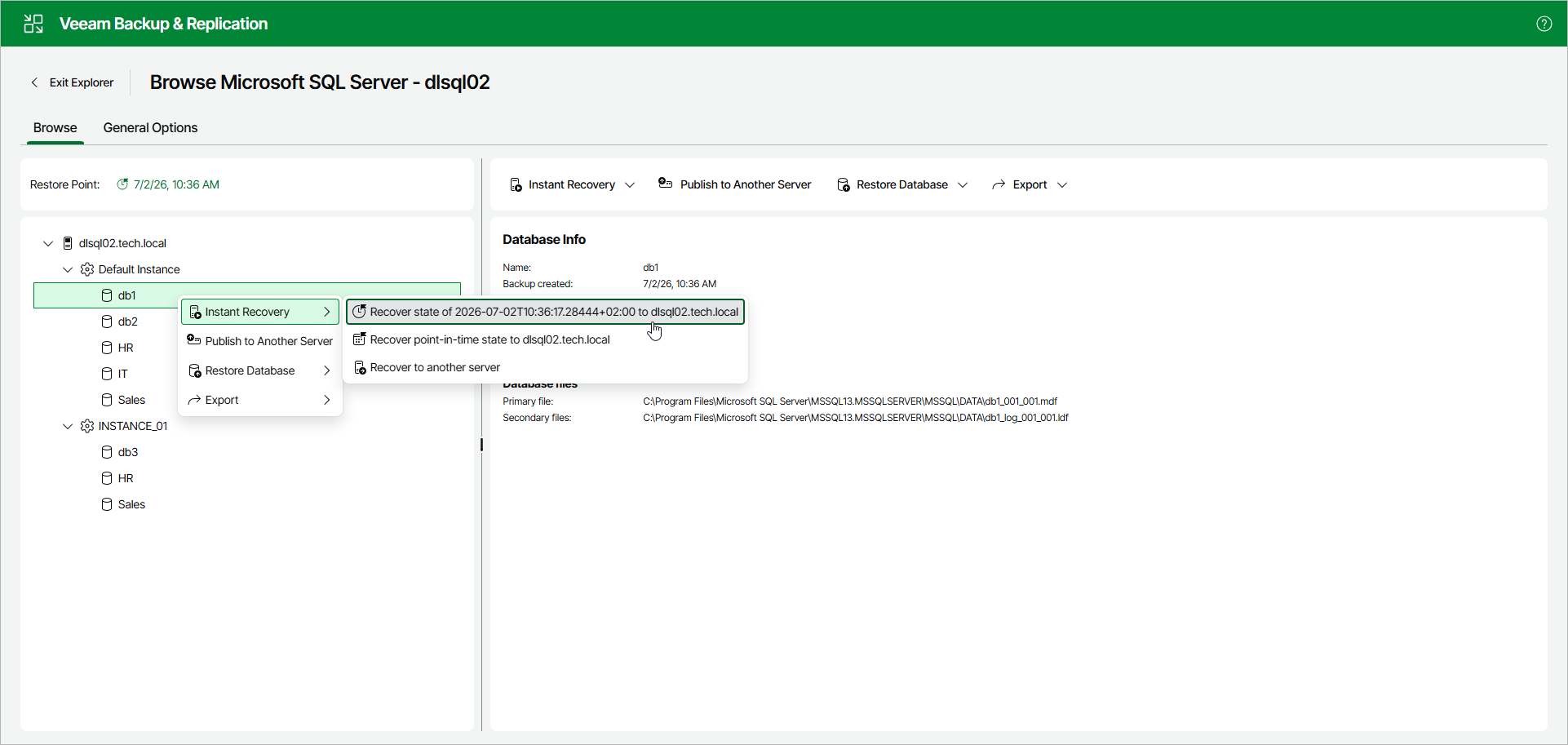
Step 1. Launch Instant Recovery Wizard
To launch the Instant Recovery wizard, open the Browse tab and do the following:
- In the navigation pane, select a database.
- In the upper part of the preview pane, select Instant Recovery > Recover state of <date and time> to <original_location>.
Alternatively, you can open the Browse tab, right-click a database and select Instant Recovery > Recover state of <date and time> to <original_location>.
Note |
|
The name of the instant recovery option depends on the selected restore point.
|