Editing Nutanix AHV Server Properties
To edit properties of the Prism Central or cluster added to the backup infrastructure, do the following:
- Open the Backup Infrastructure view.
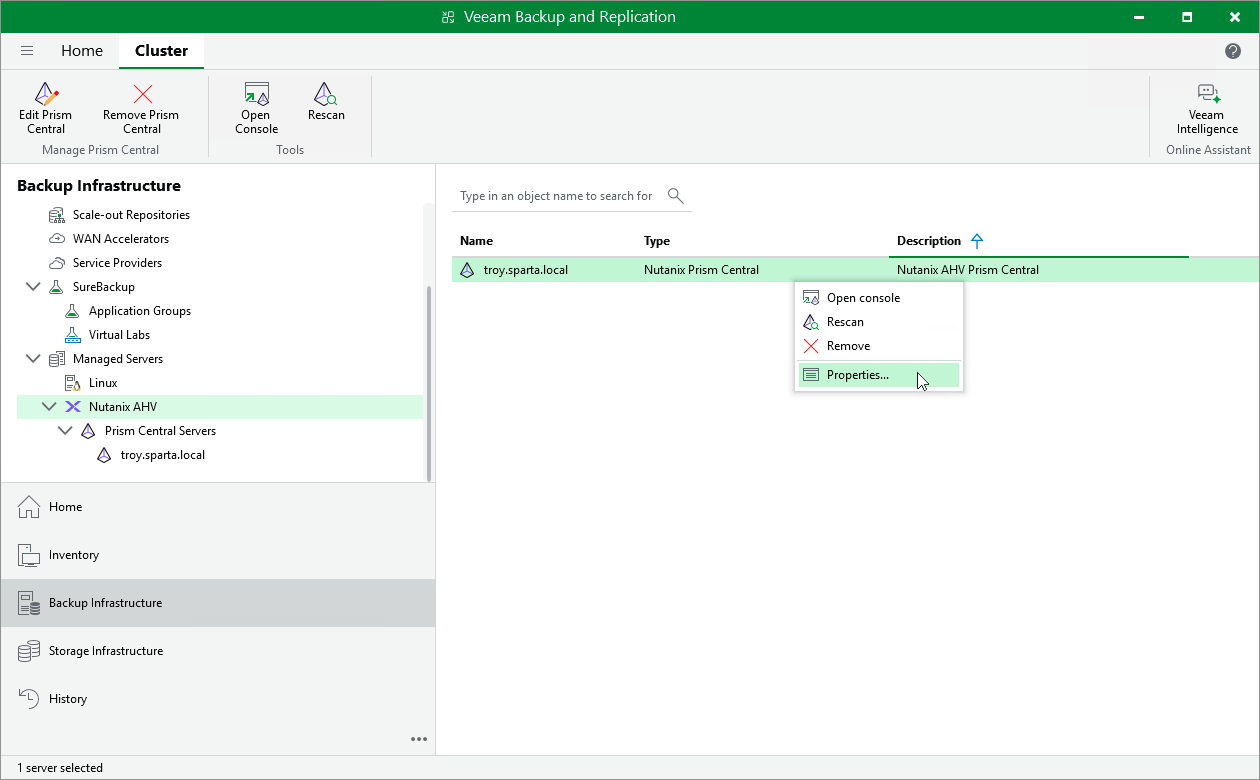
- In the inventory pane, select Managed Servers > Nutanix AHV.
- In the working area, select the Prism Central or cluster and click Edit on the ribbon, or right-click the Prism Central or cluster and select Properties.
- Complete the Edit Nutanix AHV Server wizard as described in section Adding Nutanix AHV Server to Backup Infrastructure.
|
Tip |
|
Alternatively, in the Veeam Backup & Replication Web UI, navigate to Managed Servers, select the necessary server and click Edit. |