Configuring Veeam Intelligence Settings Using Console
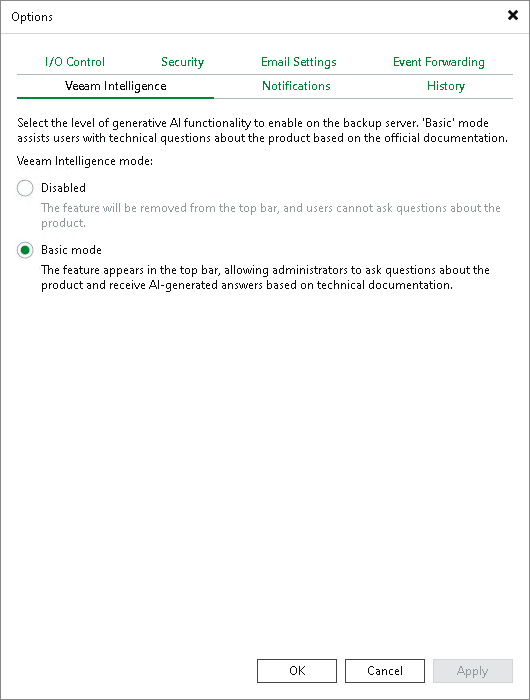
To configure Veeam Intelligence settings, do the following in the Veeam Backup & Replication console:
- From the main menu, select Options.
- Click the Veeam Intelligence tab.
- Under Veeam Intelligence mode, choose one of the following options:
- To disable Veeam Intelligence and hide it in the user interface, select the Disabled option.
- To enable the Veeam Intelligence basic mode, select the Basic option.
- To enable the Veeam Intelligence advanced mode, select the Advanced option. For more information, see Advanced Mode.
If you select the Advanced option, you can additionally select the Enable full administrative access check box to let Veeam Intelligence perform privileged operations.
Important |
Privileged operations may affect protected workloads, that is, modify or delete data, change system settings or run administrative scripts. Enable full administrative access only if you understand and accept the risks. |
- Click Apply to save the settings.