Instant Recovery
Veeam Backup & Replication allows you to use the Instant Recovery feature to restore EC2 instances from image-level backups to VMware vSphere and Microsoft Hyper-V environments, and to Nutanix AHV clusters. For more information, see section Instant Recovery to VMware vSphere in this guide and Veeam Backup for Nutanix AHV User Guide, section Instant Recovery.
|
Important |
|
Instant Recovery is not supported for EC2 instances running Amazon Linux 2 or Amazon Linux 2023 and can be performed only using either of the following backups:
|
Before you start the restore operation, make sure to add to the backup infrastructure a vCenter Server, a Microsoft Hyper-V server or a Nutanix AHV cluster that will manage restored EC2 instances, as described in section Adding VMware vSphere Servers, Adding Microsoft Hyper-V Servers or Adding Nutanix AHV Cluster.
To perform Instant Recovery, do the following:
- In the Veeam Backup & Replication console, open the Home view.
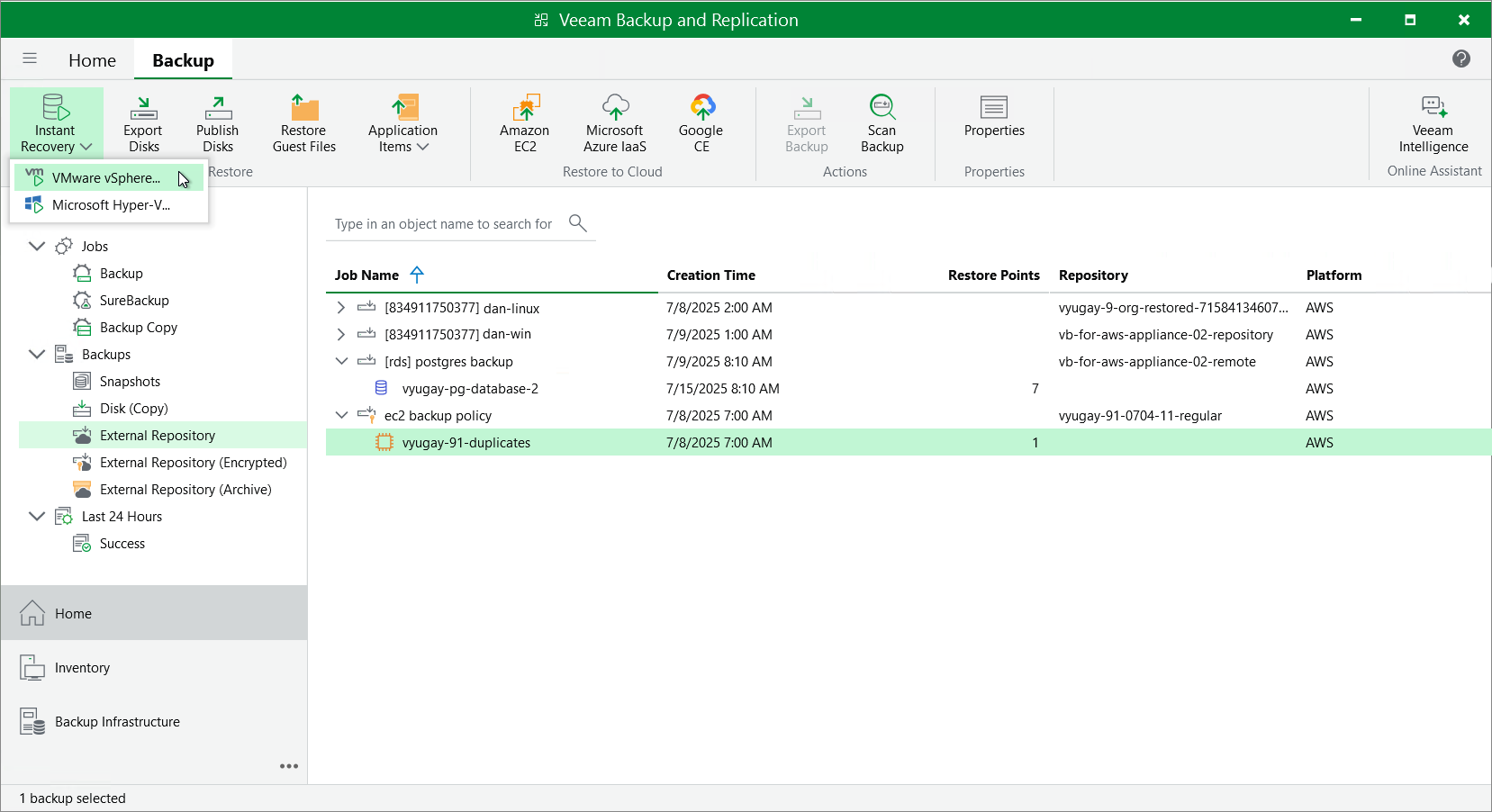
- Navigate to Backups > External Repository.
- Expand the backup policy that protects an EC2 instance that you want to recover, select the necessary EC2 instance and click Instant Recovery on the ribbon.
- Select VMware vSphere, Microsoft Hyper-V or Nutanix AHV.
- Depending on the selected Instant Recovery option, complete the Instant Recovery wizard as described in section Performing Instant Recovery of Workloads to VMware vSphere VMs, Performing Instant Recovery of Workloads to Hyper-V VMs or Performing Instant Recovery of Workloads to Nutanix AHV.